
Your best outreach
is getting ignored.
A cold email looks like every other cold email. The buyer never sees the person who wrote it, and you never find out whether they read it. Quib puts you in front of them with a short video made for them, and then shows you exactly what they did with it.
A quib is a video and the page it plays on.
You record a video of yourself, then put it on a page you design, with your name, your buttons and a form if you want one. You send that page to one person by email or as a link. They press play on a page made for them, and you see what happened.
Personal. Made for one contact, greeting them by name and speaking to their situation.
Public. One quib you can send to anyone, as often as you like. QuibPulse scores it, so you can see which of your public quibs works best.
Presentations. Your screen, walked through, with your camera in a bubble in the corner.

Record yourself, looking your best.
Quib records in the browser, with nothing to install. Zoom in and reframe while you record. Read from a Script that scrolls as you speak, and on a Solo or Pod plan Quib can Write a script for you from your key points. Blur your background, replace it with a picture, or use a green screen. Switch to Presentation to record your screen, with your camera in a Camera bubble.
On Solo and Pod
Tighten your take without an editor.
Detect cuts (silence + fillers) finds the pauses in your audio and the filler words in your captions, so you can cut them in one pass. Join the pieces with a Hard cut or a Dissolve. Warm up the color, add Titles, and let Quib write the captions.

Build the page they'll land on.
In QuibStudio you put your video on a page and design it: text, buttons, images, shapes, a picture carousel, your contact card and a form. Move, align and group like in a design tool. Give the page a separate phone layout and a background of a color, a gradient or a picture. Save a design as a template and start every quib from it.
Send it to one person.
Send the quib by email from Quib, or from your own Gmail or Microsoft mailbox so it lands in your Sent folder. Or copy its link and paste it anywhere. If the video is still processing, Quib queues the send and emails it once the video is ready.
On Solo and Pod
Know who watched, how far, and what they clicked.
QuibPulse shows every send: who opened it, how far they watched, whether they came back to watch again, and which buttons they clicked. Hot prospects ranks your contacts by heat, and each score shows what it's made of: Watched, Acted on it and Came back. Each quib's attention curve shows the second viewers drop off. And the AI briefing sums it up in plain words: who to contact next, and which quibs work.
On Solo and Pod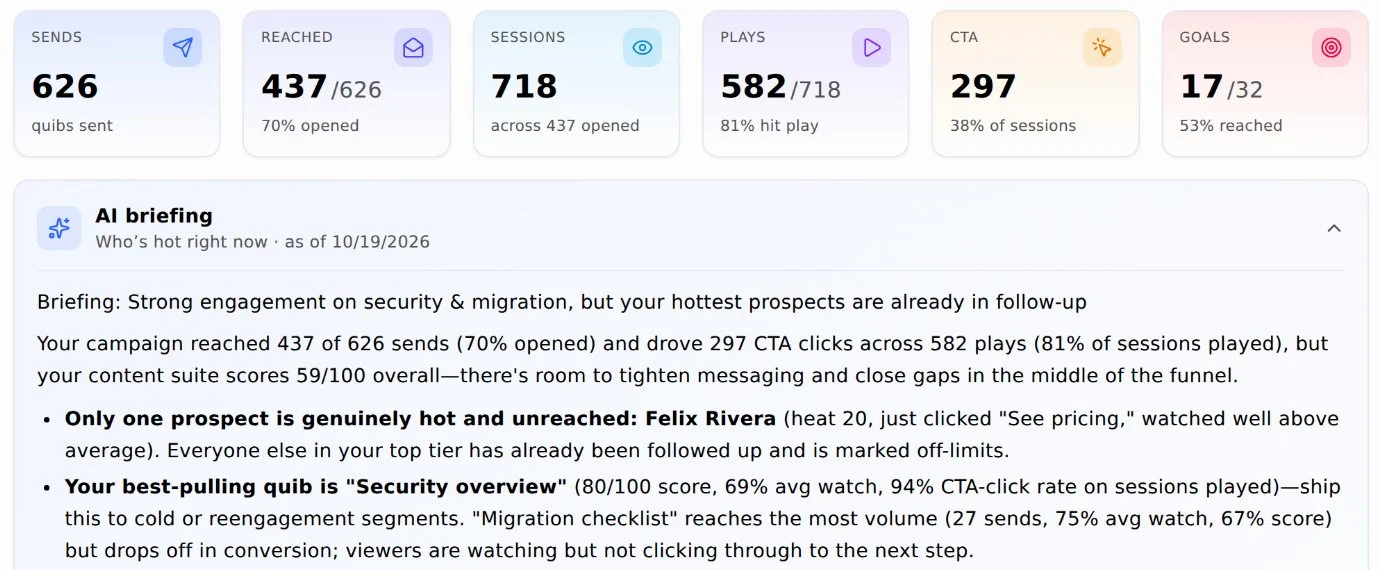
Follow up while they're interested.
Every hot prospect has a Respond button. Answer with a new quib (Quib opens QuibStudio with a quib for that person, linked as a reply to the last one they watched), or log the email or call you made. QuibPulse marks them followed up, so you can see at a glance who is still waiting for you.

Run a campaign with your whole team.
A campaign is one outreach push with one goal and one campaign quib. You design the quib once. Each member drops in their own video and contact card and sends it, and you can review their quibs before they go out. Members earn points for watches, rewatches and clicks, and the Pod leaderboard shows who's leading.
On Solo and Pod · team campaigns on a Pod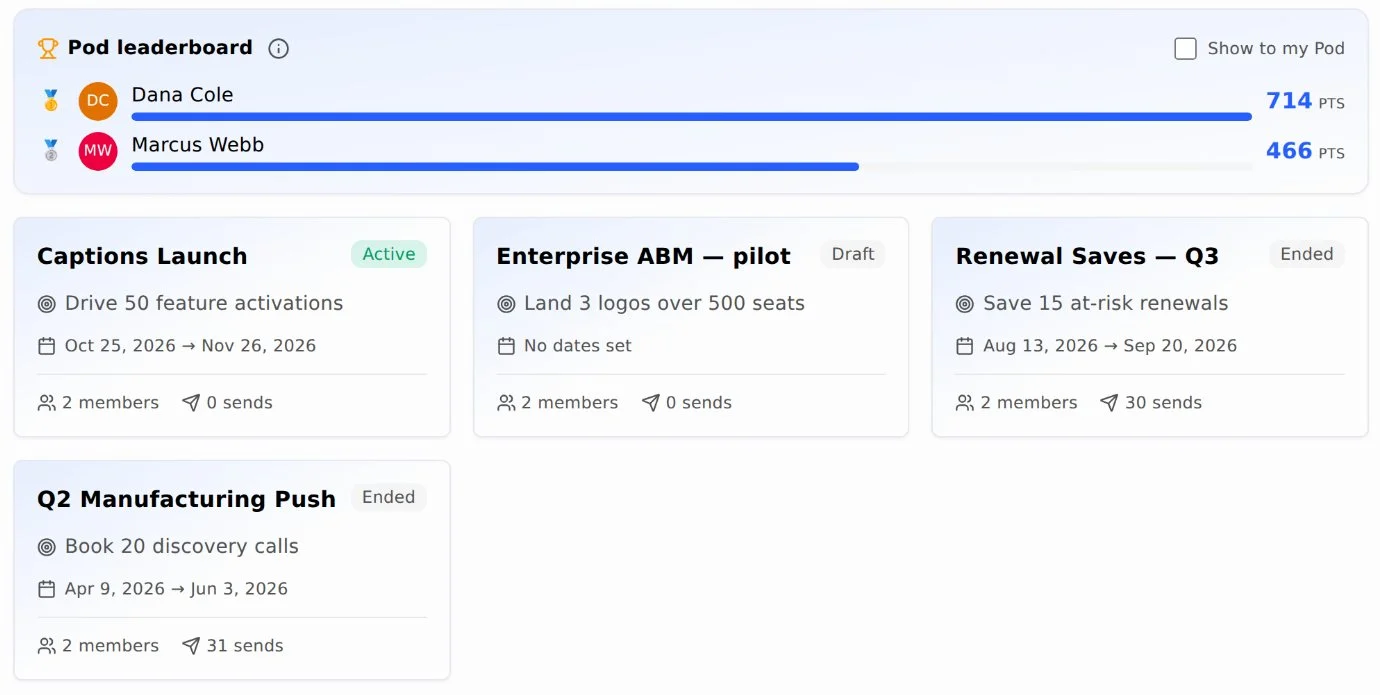
Turn a trade show into a follow-up list.
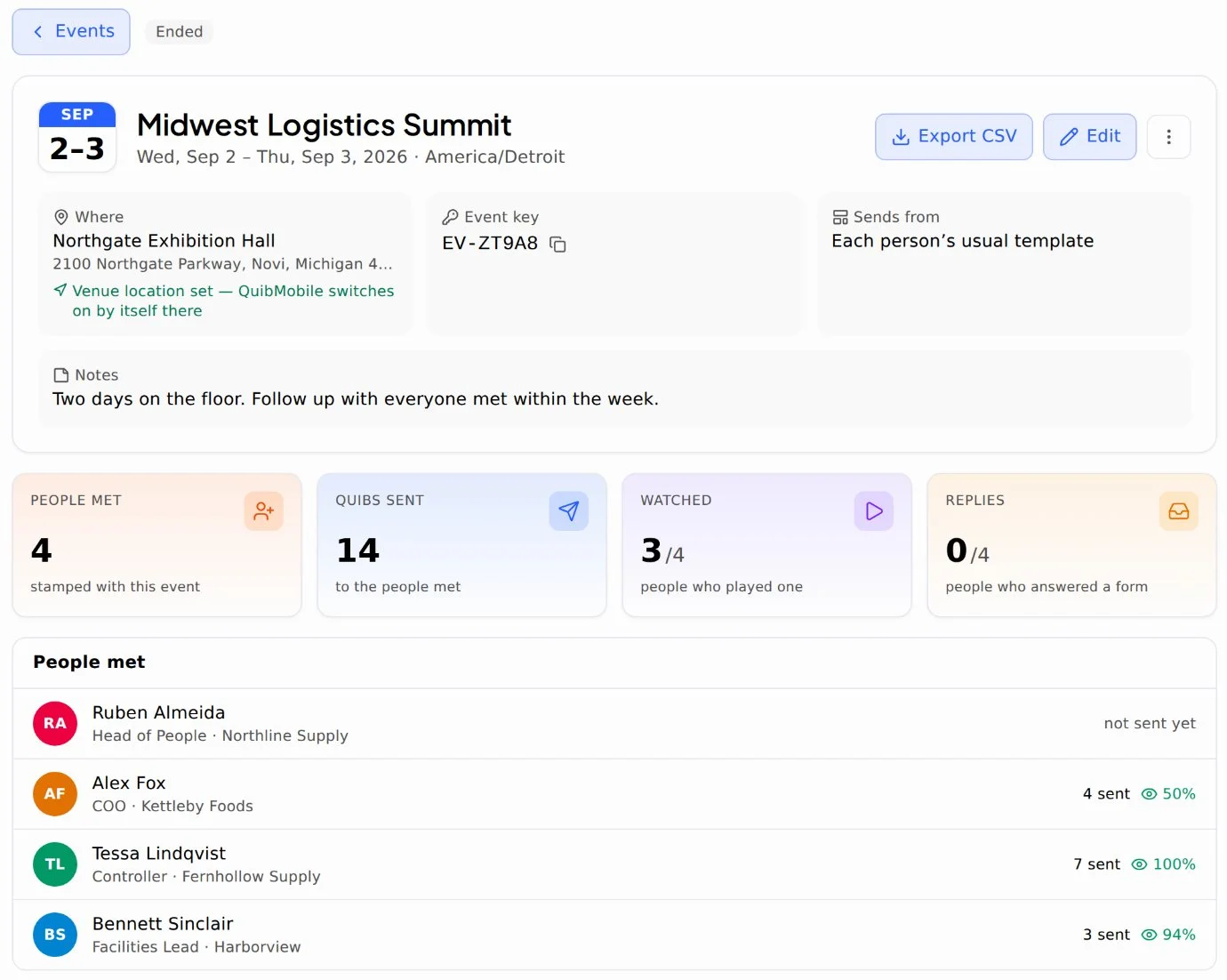
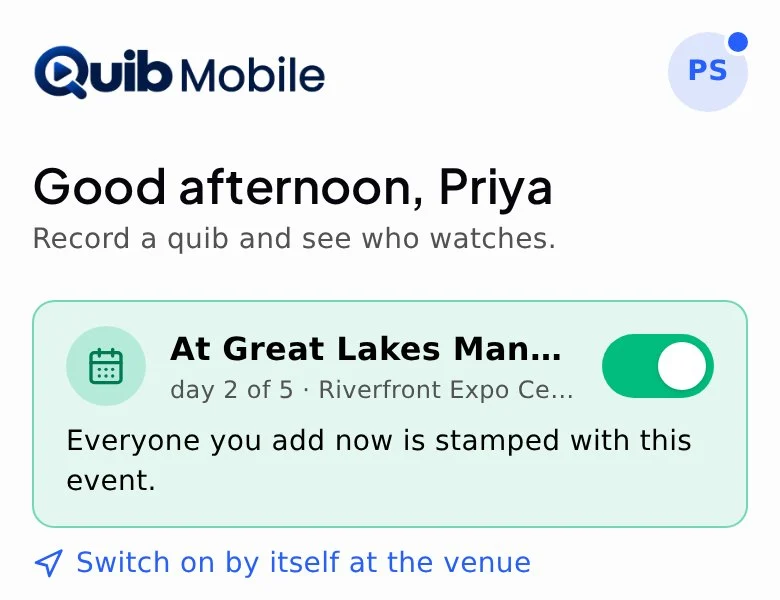
Add the show to Events before you go. At the show, switch the event on in QuibMobile on your phone, or let it switch on by itself when you reach the venue. Everyone you add or scan is stamped with the event. Afterwards, the event's page lists everyone you met, the quibs you sent them, who watched and who replied, and Export CSV takes it all with you.

Let them answer right on the page.
Put a QuibForm in your quib, or open it from a button. Start from Book a demo, Contact me or another ready-made form, or build your own with text, choice and rating fields. Every answer adds or updates the person in Contacts. To ask a group the same questions, send a Survey and read the results as charts, or Export CSV.
Surveys on Solo and Pod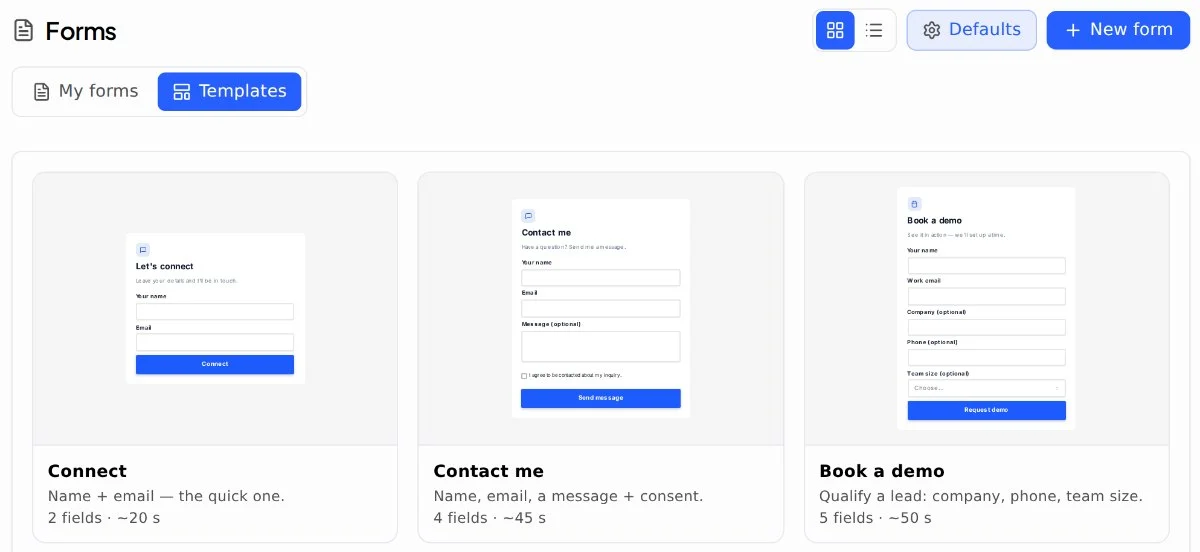
No avatars, no voice clone, no synthetic presenter. Quib's AI helps you with scripts, summaries and follow-up, and never appears in your video.
See it with your own quibs.
Quib is in a closed beta. Bob Anderson, Quib's founder, approves each beta tester, and beta testers use Quib free during the beta.
Already a beta tester? Sign in